
Showing posts with label photobook. Show all posts
Showing posts with label photobook. Show all posts
Friday, March 28, 2014
Daily Baby - Owen's First Year
We just got the photobook of Owen's first year in the mail. I'm really proud of myself for weeding through the couple thousand photos, keeping it down to only 88 pages, and actually finishing it before he started Kinder. I know I can't bring the book around to share with everybody, as much as I'd like to (although if you're ever at our house, you're more than welcome to peek), so I made a short video from the scrapbook pages that I created. I really hope I captured the essence of the tiny little goofball I'm proud to call my son!
The scrapbook pages were created using My Memories digital scrapbooking software. I ended up ordering the book through Winkflash, who were having a flat page book sale (up to 100 pages for a flat rate, which saved me $66 according to my checkout receipt). I'd say they run that sale a few times a year, so worth looking out for if you have a big book in the works. Winkflash seems to be a lesser known printing company, but they do good work and the only complaint I have about their photobooks is that they don't print the album title on the spine.
Anyway, enjoy! I'll be back soon with those kitchen before and after photos!
Thursday, September 5, 2013
Daily Travels - Chicago Photobook
I posted about my baby shower photo book a couple posts ago. It arrived, looked adorable, then I popped it into the bookshelf without remembering to review my thoughts on it. As it happens, I had another free coupon code, so decided to make a book for our trip to Chicago. It was the last big trip that we took before Owen's arrival and it was 3 days of good eats, tons of walking, and beautiful architecture. It's actually a city that both Husband and I felt like we could live in, except for the ridiculous weather. We happened to be there at a beautiful time of year (end of May) but even then, the last day was crazy humid to the point of not really wanting to go anywhere and getting bug bitten to hell down by Lake Michigan. From a photography perspective, it was a dream. I wasn't actually sure that twenty 8x8 pages would do it justice, especially given how many pictures I actually took, but it certainly got the message across for the fantastic time we had.
As for the Shutterfly books themselves? I think it is a testament to the Shutterfly Custom Path software that I was able to put this book together in about 3 hours. I used preset pages through the template I chose, but could tweak those to look exactly as I wanted as each template has a good number of embellishments to play with. There's a range of photo layouts to use if you want to create each page from scratch and my only complaint in that area is that there's no option to just draw your own photo box where you want on the page. Instead, you have to decide how many photos you want and move the photo spots around accordingly. Not great if you suddenly decide to add a photo to the page late in the game!

I don't really have other books to compare to, but I found the quality of the book to be nice. The hard cover with title on the spine gives it a nice, professional finish, and I very much like being able to customize both front and back covers. The inside pages feel heavy enough and the printing is clear. There's also an extra protective page at the beginning and end, which I actually feel is a nice touch when opening the book. I do love the look of a beautiful, glossy photo in a scrapbook; however, I know my limitations and that I would never get around to actually scrap-booking by hand (and it certainly couldn't be done in 3 hours!) No matter what, better than the photos sitting on my computer.
My grand plans would be to create a photo book for each major vacation, and a more general "family yearbook" each year. I love how easy Shutterfly makes this. While I will possibly test out some other services for future books (Winkflash, Blurb, Costco), at least I know what to expect from Shutterfly and will definitely order again.
What's your preferred method of scrap-booking family photos?
As for the Shutterfly books themselves? I think it is a testament to the Shutterfly Custom Path software that I was able to put this book together in about 3 hours. I used preset pages through the template I chose, but could tweak those to look exactly as I wanted as each template has a good number of embellishments to play with. There's a range of photo layouts to use if you want to create each page from scratch and my only complaint in that area is that there's no option to just draw your own photo box where you want on the page. Instead, you have to decide how many photos you want and move the photo spots around accordingly. Not great if you suddenly decide to add a photo to the page late in the game!

I don't really have other books to compare to, but I found the quality of the book to be nice. The hard cover with title on the spine gives it a nice, professional finish, and I very much like being able to customize both front and back covers. The inside pages feel heavy enough and the printing is clear. There's also an extra protective page at the beginning and end, which I actually feel is a nice touch when opening the book. I do love the look of a beautiful, glossy photo in a scrapbook; however, I know my limitations and that I would never get around to actually scrap-booking by hand (and it certainly couldn't be done in 3 hours!) No matter what, better than the photos sitting on my computer.
My grand plans would be to create a photo book for each major vacation, and a more general "family yearbook" each year. I love how easy Shutterfly makes this. While I will possibly test out some other services for future books (Winkflash, Blurb, Costco), at least I know what to expect from Shutterfly and will definitely order again.
What's your preferred method of scrap-booking family photos?
Wednesday, August 21, 2013
Daily Baby - A shower photo book
It's only taken 10 months, but with a free photobook code from Shutterfly via BabyCenter in hand, I figured it was about time to do something with the photos from my baby shower. I haven't used Shutterfly photo books since the one I put together after Husband and I got married. They've actually changed the whole set up since then and it's very user friendly, allowing you to easily move and rotate embellishments, add text, switch backgrounds etc. While I love using the My Memories software (which is what I'm currently using to compile Owen's baby book), for the purposes of just getting it done, I went with one of the themes that Shutterfly has available. Even more nifty is that you can now embed the photo book for all to see! Pretty cool. The book itself should be here in a week or two, and I will report back on how it looks when it gets here. In the meantime, I love having this digital version to share.
Thanks again to my girls, Holly & Paige, for being such amazing hostesses, my in-laws for allowing us to invade their house, and all my friends and family in attendance. It was beautiful and I cherish the memories of the day.
Monday, August 29, 2011
Daily Review - My Memories Digital Scrapbooking
I'll admit that when it comes to scrapbooking, I always have the best intentions, but never quite get around to it. When photo printing companies started offering the option to print books, I was thrilled because it is much faster than creating a paper scrapbook and means I'll actually get it done (rather than having the printed photos in a drawer for all eternity!) As I mentioned in this review, however, my problem with the digital scrapbooking software with the bigger photo-book printers is that their templates and backgrounds can be somewhat limiting.
Last week, I found out about My Memories, which offers digital scrapbooking software to completely customize your digital scrapbook page creation. The folks there were nice enough to provide me with a copy of the My Memories Suite to test out and review.
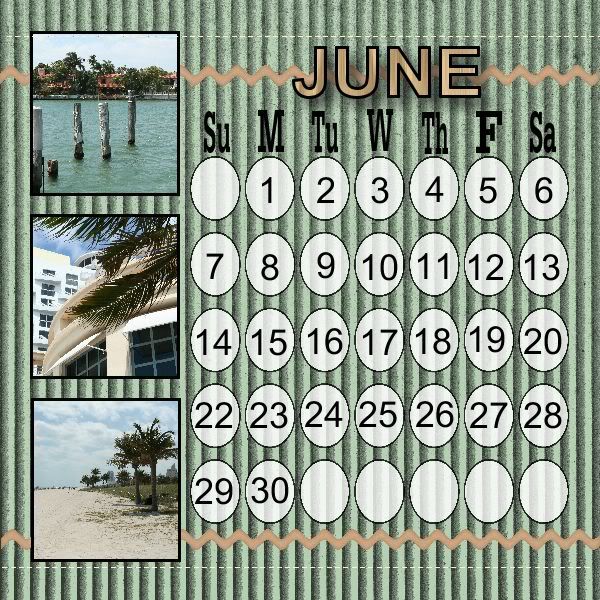
The basics
When I first opened up the software, I liked how everything was easy to access and found it user friendly. My biggest problem was being somewhat overwhelmed by all the various options available to me! To start off, The software gives you a variety of choices for your page size so that you can create something that's easy to print or upload to create a book. You can then choose to use one of the pre-loaded templates, or create your own design from scratch. If you are looking to include all photos from a set, you can let the software auto-fill your album, or you can drag and drop each photo into place yourself. Double clicking on the photo allows you to crop it as you want it to look. Another feature that I like is that you can alter the photos from within the My Memories software - so if you've place the photo on the page but think you'd prefer it in B&W or sepia, a couple of clicks and you're done, without needing other software.
Everything is broken down by category - from backgrounds to word art, text to embellishments. To access and edit each of the different areas, there are buttons available on the left, right and top of the screen. Each item that you add is placed onto the page that you're building, which then allows you to resize, move, copy, and place in the perfect spot.
Add-ons
Additional kits are available on the website with a nice selection to fit a wide variety of occasions and themes. Some add-on kits have backgrounds and themes, while others contain monograms and word art. I think I'll be making use of the calendar grids so that I can make my own calendars with ease. I like that there is a collection of kits available for free, or as low as $0.99, with more expensive kits priced up to $9.99. A selection of kits are also available for a discounted price as weekly deals, or you can sign up for the design club, which offers 5 exclusive kit downloads each month for a $5.99 membership fee. Considering a pack of regular scrapbooking paper can be $20, I think the kits are well priced (and of course reusable!) The downloads are also able to be used with Photoshop, or other photo editing software.

Sharing
As well as allowing you print pages, I also enjoy that the pages can be exported as jpegs for easy sharing in digital format. Personally, I like to send a holiday greeting via e-mail - especially to family members overseas. This software allows the addition of music, video, or links into the scrapbook page which almost makes your page an interactive experience! Alternatively, you could create an entire album that can be shared digitally with friends and family.
Best features
For me, the best feature of this software is that everything is customizable so that you're not restricted by layout (as is often the case with online photo book design). Photo layouts can be moved and re-sized to your personal needs; so even if the template has fewer photo openings on a page than you want, it's easy to add more, then move or rotate them as much as you want. Really, the options for what can be done with this are endless so there are no limits to your creativity.
While the software may seem a little intimidating at first, once you have an idea of where everything is, it's really very easy to navigate. I suspect I'll be spending more time exploring everything before I'm completely comfortable, but I know that I'll be putting this software to really good use and I'm excited to create my next photo book using it!
My Memories was kind enough to also provide a copy of the My Memories Suite for me to give away to one of you, so check back tomorrow for giveaway details!
Last week, I found out about My Memories, which offers digital scrapbooking software to completely customize your digital scrapbook page creation. The folks there were nice enough to provide me with a copy of the My Memories Suite to test out and review.
The basics
When I first opened up the software, I liked how everything was easy to access and found it user friendly. My biggest problem was being somewhat overwhelmed by all the various options available to me! To start off, The software gives you a variety of choices for your page size so that you can create something that's easy to print or upload to create a book. You can then choose to use one of the pre-loaded templates, or create your own design from scratch. If you are looking to include all photos from a set, you can let the software auto-fill your album, or you can drag and drop each photo into place yourself. Double clicking on the photo allows you to crop it as you want it to look. Another feature that I like is that you can alter the photos from within the My Memories software - so if you've place the photo on the page but think you'd prefer it in B&W or sepia, a couple of clicks and you're done, without needing other software.
Everything is broken down by category - from backgrounds to word art, text to embellishments. To access and edit each of the different areas, there are buttons available on the left, right and top of the screen. Each item that you add is placed onto the page that you're building, which then allows you to resize, move, copy, and place in the perfect spot.
Add-ons
Additional kits are available on the website with a nice selection to fit a wide variety of occasions and themes. Some add-on kits have backgrounds and themes, while others contain monograms and word art. I think I'll be making use of the calendar grids so that I can make my own calendars with ease. I like that there is a collection of kits available for free, or as low as $0.99, with more expensive kits priced up to $9.99. A selection of kits are also available for a discounted price as weekly deals, or you can sign up for the design club, which offers 5 exclusive kit downloads each month for a $5.99 membership fee. Considering a pack of regular scrapbooking paper can be $20, I think the kits are well priced (and of course reusable!) The downloads are also able to be used with Photoshop, or other photo editing software.
Sharing
As well as allowing you print pages, I also enjoy that the pages can be exported as jpegs for easy sharing in digital format. Personally, I like to send a holiday greeting via e-mail - especially to family members overseas. This software allows the addition of music, video, or links into the scrapbook page which almost makes your page an interactive experience! Alternatively, you could create an entire album that can be shared digitally with friends and family.
Best features
For me, the best feature of this software is that everything is customizable so that you're not restricted by layout (as is often the case with online photo book design). Photo layouts can be moved and re-sized to your personal needs; so even if the template has fewer photo openings on a page than you want, it's easy to add more, then move or rotate them as much as you want. Really, the options for what can be done with this are endless so there are no limits to your creativity.
While the software may seem a little intimidating at first, once you have an idea of where everything is, it's really very easy to navigate. I suspect I'll be spending more time exploring everything before I'm completely comfortable, but I know that I'll be putting this software to really good use and I'm excited to create my next photo book using it!
My Memories was kind enough to also provide a copy of the My Memories Suite for me to give away to one of you, so check back tomorrow for giveaway details!
Labels:
daily review
,
digital
,
my memories
,
photobook
,
scrapbook
,
scrapbooking
,
software
1 comment
:


Monday, March 14, 2011
Daily Review - Winkflash photobooks
I've been using Winkflash for a photo printing service for many years now. They used to offer 6 cents for a 4x6 print, with flat rate shipping of $0.99. Over the last couple of years, their pricing has increased to 8 cents a print (which is hardly a big deal), and the shipping costs are now based on how many prints you order. I've always been happy with the quality of the prints though, and at $1.99 for an 8x10, it's hard to beat. Recently, I got a coupon code for a flat rate on the photo books, up to 100 pages, so decided to order one to see how I like it.
Book creation:
To start putting photos into book format, you are given the option of uploading the photos straight from your computer, or opening an existing album in Winkflash to select pictures from. Personally, I found it easier to just upload into existing albums and it was pretty easy to navigate between albums.
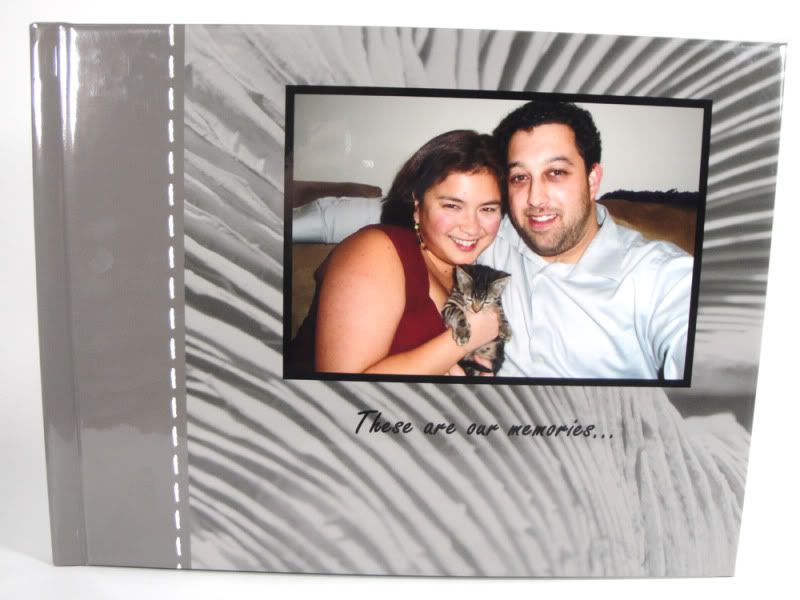
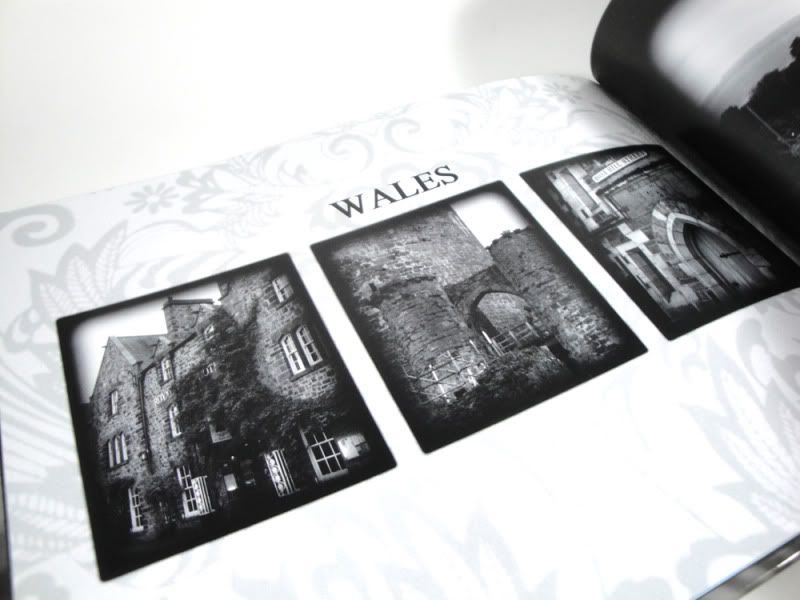 There are a lot of different patterned or themed backgrounds to choose from, plus you can choose from a selection of plain colored backgrounds. The layouts are based on how many photos you want to include on the page. I did find this somewhat limiting as there were layouts that I'd be envisioning that don't exist. It would be great to have some kind of custom layout creator, or at least the ability to resize the boxes within the layouts. Outside of that, it's a simple drag and drop onto the page to place photos. I also liked that there were framing options for the photos - from simple frames to vignettes and other effects. There's only a few that I ended up using, but I enjoyed having the choice at all. The only thing to be aware of while creating your book is that you need to make sure you have the correct page selected (i.e. left or right). On occasion, I'd have the wrong page selected and make changes to the wrong side, which could be frustrating. There's also the option to create your own pages in Photoshop (or other editing software) and upload the full page to Winkflash, which is definitely a method I would consider in the future.
Pricing: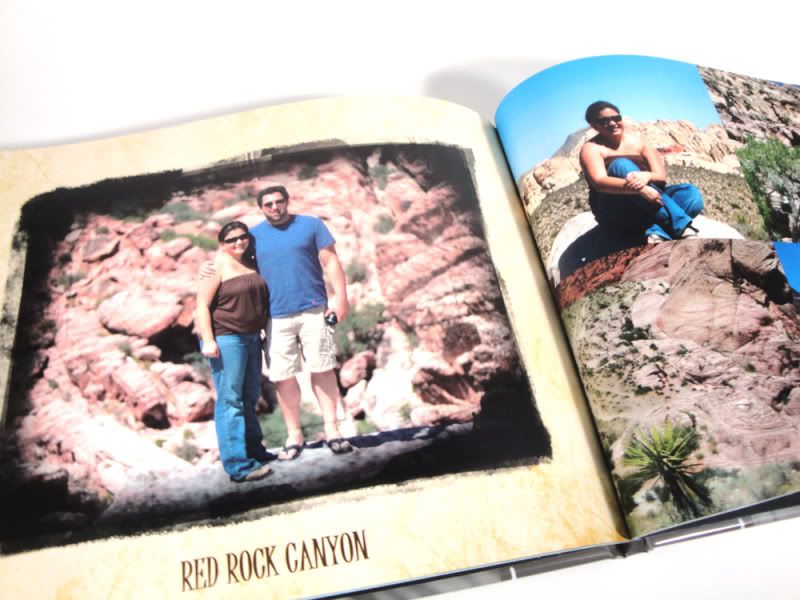 I ordered the 8x11 custom cover book, which was $28.95 for the 100 pages plus $6.99 for shipping. Regularly, that is the price for up to 20 pages, with each additional page costing $1.00. I don't think I would pay the regular price for the book as what I ordered would have been over $100. Without the coupon code, I would probably have tried Blurb which has more competitive pricing for the number of pages.
Shipping:
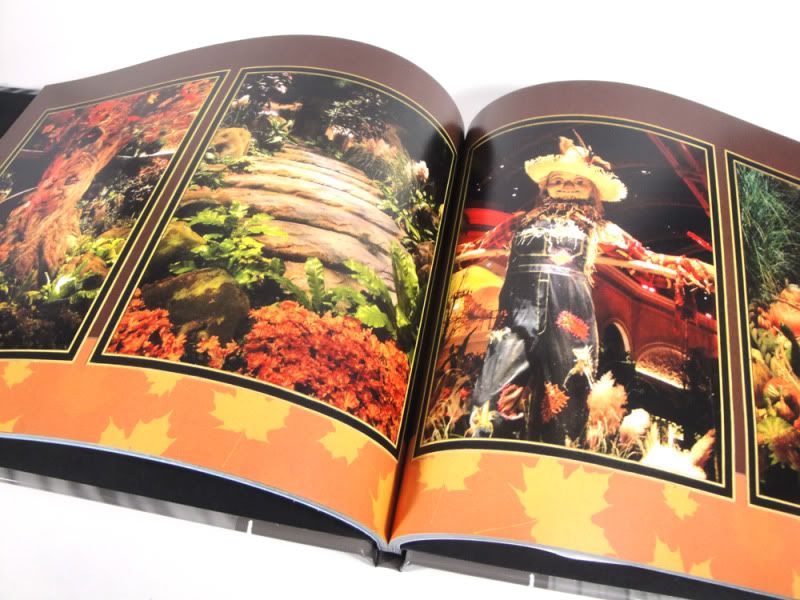 When I ordered the book, the estimated arrival date was March 14. Guess they got that right, as it arrived just before lunch! It was about 10 days from the date I ordered to the day it was in hand.
Cover and binding:
The cover is a glossy finish and overall looks very nice. I would have loved an option for a matte cover though. The binding appears to be very secure, and overall presentation is really nice. The only thing I'm disappointed with is that they didn't print the title of the book on the spine, which means it could easily get lost in my rather extensive bookshelf!
Photo and paper quality:
I was actually very happy with the thickness of the paperstock used to print the book. It has a nice feel to it, and isn't too thin, which would have been my primary concern. The colors of the photos are nice and rich, and in general very true to the uploaded photo. There were a few that appear to be slightly darker than I anticipated, but not enough of a difference to be a problem.
Overall, I'm very happy with the photo book and would definitely order another through Winkflash's service, although not without a coupon code for the flat rate. I definitely have plans to put my photography portfolio in book format and, if the pricing offer is there, I'll be happy to use Winkflash to do it.
FYI, Winkflash is still running the flat rate on their photobooks until March 17, 2011. The coupon code is ALLBOOKS in case you want to put one together in the next couple of days!
Also, if you sign up with them, you get 50 free prints for your first order. Use code 50FREE.
Book creation:
To start putting photos into book format, you are given the option of uploading the photos straight from your computer, or opening an existing album in Winkflash to select pictures from. Personally, I found it easier to just upload into existing albums and it was pretty easy to navigate between albums.
There are a lot of different patterned or themed backgrounds to choose from, plus you can choose from a selection of plain colored backgrounds. The layouts are based on how many photos you want to include on the page. I did find this somewhat limiting as there were layouts that I'd be envisioning that don't exist. It would be great to have some kind of custom layout creator, or at least the ability to resize the boxes within the layouts. Outside of that, it's a simple drag and drop onto the page to place photos. I also liked that there were framing options for the photos - from simple frames to vignettes and other effects. There's only a few that I ended up using, but I enjoyed having the choice at all. The only thing to be aware of while creating your book is that you need to make sure you have the correct page selected (i.e. left or right). On occasion, I'd have the wrong page selected and make changes to the wrong side, which could be frustrating. There's also the option to create your own pages in Photoshop (or other editing software) and upload the full page to Winkflash, which is definitely a method I would consider in the future.Pricing:
I ordered the 8x11 custom cover book, which was $28.95 for the 100 pages plus $6.99 for shipping. Regularly, that is the price for up to 20 pages, with each additional page costing $1.00. I don't think I would pay the regular price for the book as what I ordered would have been over $100. Without the coupon code, I would probably have tried Blurb which has more competitive pricing for the number of pages.Shipping:
When I ordered the book, the estimated arrival date was March 14. Guess they got that right, as it arrived just before lunch! It was about 10 days from the date I ordered to the day it was in hand.Cover and binding:
The cover is a glossy finish and overall looks very nice. I would have loved an option for a matte cover though. The binding appears to be very secure, and overall presentation is really nice. The only thing I'm disappointed with is that they didn't print the title of the book on the spine, which means it could easily get lost in my rather extensive bookshelf!
Photo and paper quality:
I was actually very happy with the thickness of the paperstock used to print the book. It has a nice feel to it, and isn't too thin, which would have been my primary concern. The colors of the photos are nice and rich, and in general very true to the uploaded photo. There were a few that appear to be slightly darker than I anticipated, but not enough of a difference to be a problem.
Overall, I'm very happy with the photo book and would definitely order another through Winkflash's service, although not without a coupon code for the flat rate. I definitely have plans to put my photography portfolio in book format and, if the pricing offer is there, I'll be happy to use Winkflash to do it.
FYI, Winkflash is still running the flat rate on their photobooks until March 17, 2011. The coupon code is ALLBOOKS in case you want to put one together in the next couple of days!
Also, if you sign up with them, you get 50 free prints for your first order. Use code 50FREE.
Labels:
brand review
,
daily review
,
photobook
,
photographyd review
,
printing
,
quality
,
winkflash
No comments
:
Subscribe to:
Posts
(
Atom
)